Accounting & Finance
From customer invoice to reconciled bank statement, in one set of books
Every invoice, payment and bank line posts to the same double-entry ledger, so your bank balance, receivables and profit figures agree without re-keying.
Who it helps
Business owners
See what was invoiced, what was paid and what profit it produced, without waiting for month-end.
Accountants and bookkeepers
Match the bank statement to recorded payments and close the reconciliation only when the difference is zero.
Finance teams
Work from reports that come from the same postings as the invoices and payments.
How the workflow runs
Create the customer invoice
Pick the customer, products and the warehouse the goods leave from. Issuing the invoice records the sale and posts the cost of the goods sold.
Record the payment
Record the customer’s payment into your bank account and apply it to the invoice. The invoice shows the amount paid and the balance due.
Import the bank statement
Upload the statement as CSV, OFX or QFX. Match each line to a payment you already recorded, or book items such as bank fees to an expense account.
Reconcile
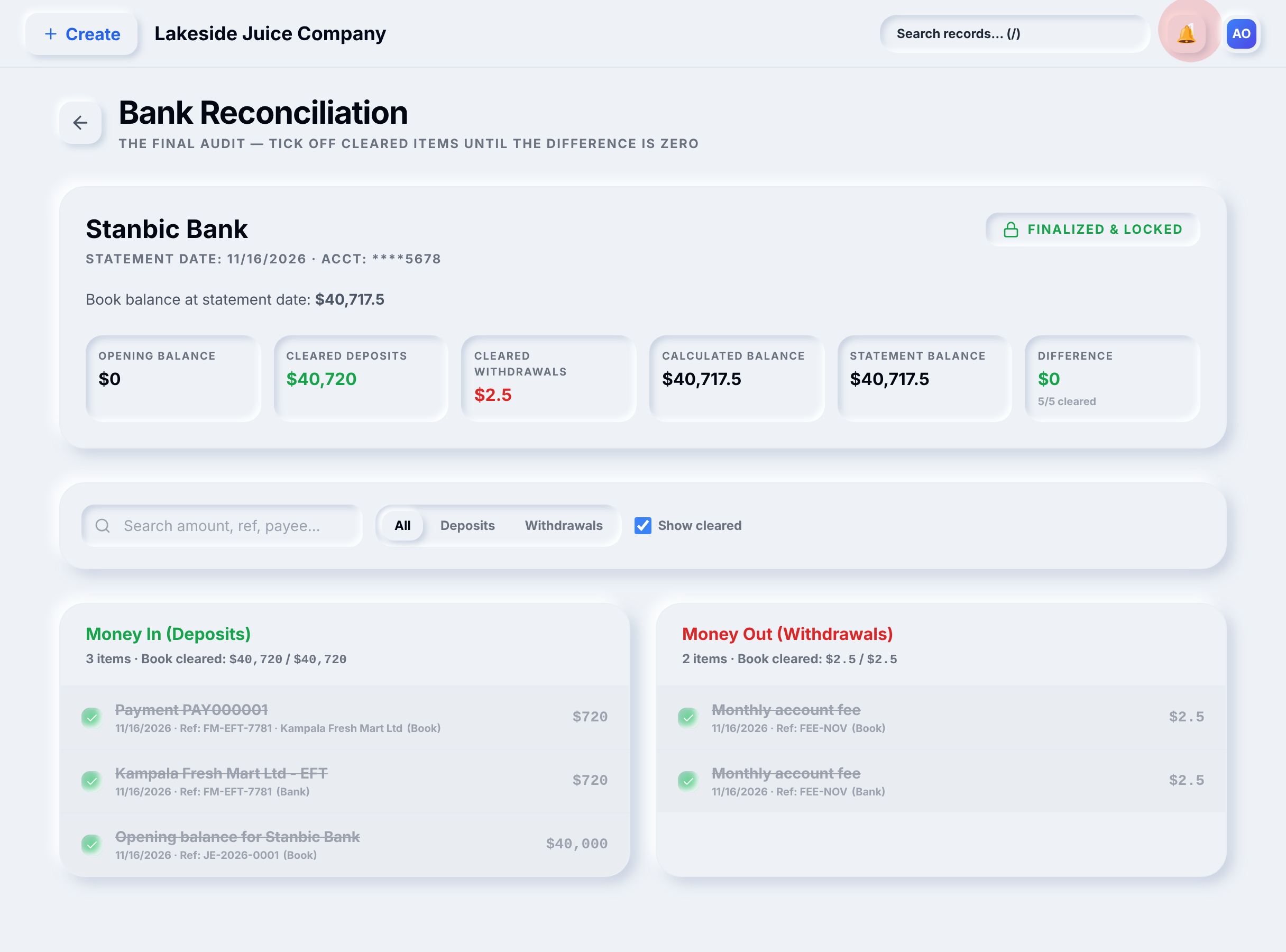
Enter the statement balance and tick off cleared items. The reconciliation can only be finalized when the difference is zero, and it is then locked.
Read the results
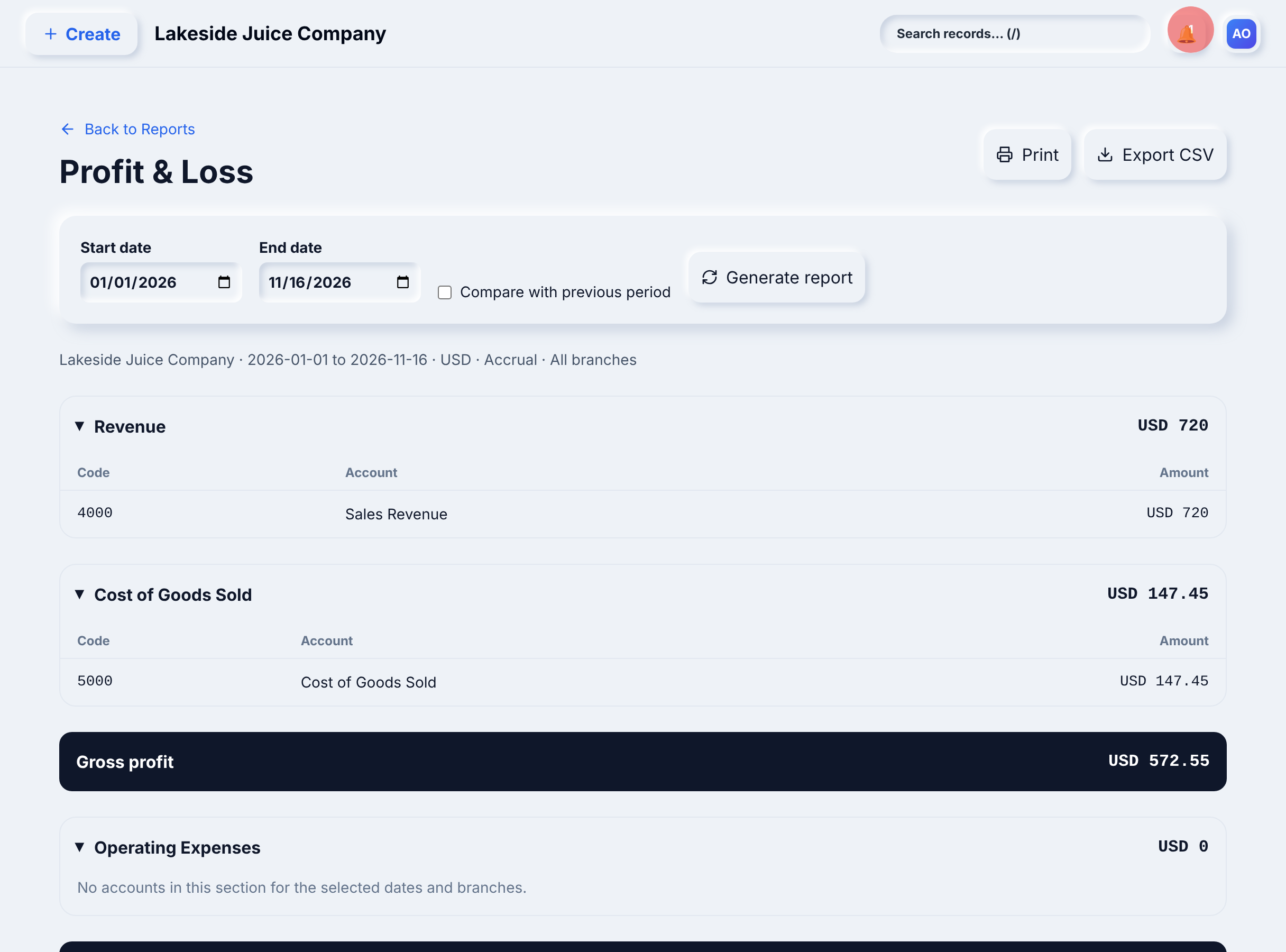
The Profit & Loss report reflects the sale, the cost of goods and adjustments from the same postings.
Worked example: Lakeside Juice Company
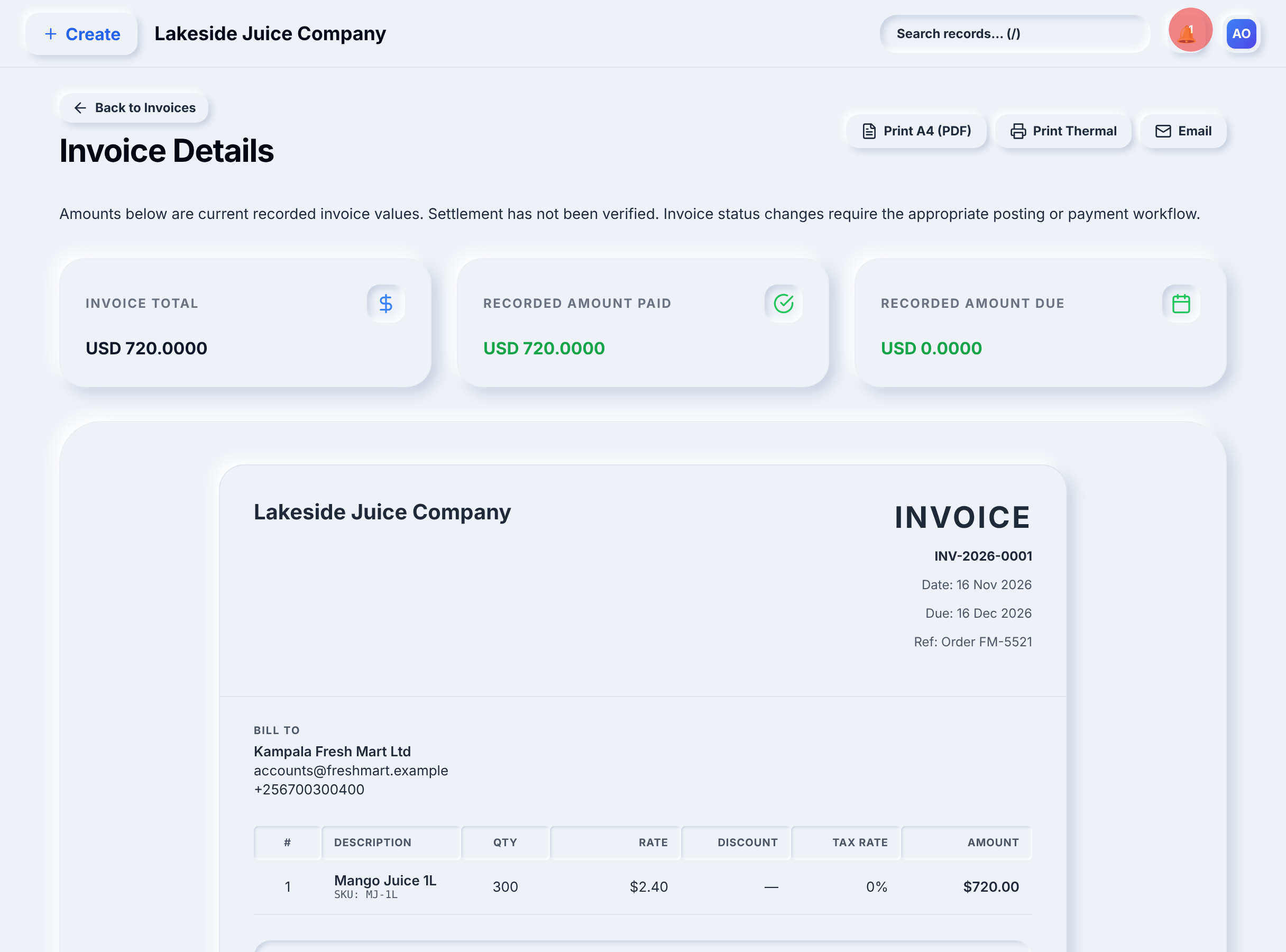
Kampala Fresh Mart orders 300 bottles of Mango Juice 1L at $2.40.
- Invoice INV-2026-0001 is issued for $720.00 from the Kampala Main Store.
- The customer pays by bank transfer (reference FM-EFT-7781). The payment is applied to the invoice, leaving $0.00 due.
- The Stanbic statement for November shows the $720.00 deposit and a $2.50 monthly fee. The deposit is matched to the recorded payment; the fee is booked to Bank Charges.
- With a statement balance of $40,717.50, every item is cleared, the difference is $0 and the reconciliation is finalized.
The Profit & Loss shows $720 of sales revenue, $147.45 cost of goods sold and $572.55 gross profit.
Lakeside Juice Company and every name, number and amount in this example are synthetic data created for illustration.
What you see in YourBooks
See this workflow with your own process
We will walk through it with your products, warehouses and accounts in mind.
Book a demo