Purchasing & Suppliers
See what you ordered, what arrived and what you were billed
Raise purchase orders, receive deliveries with an arrival inspection, and create the supplier bill from the goods receipt, so the bill matches what actually arrived.
Who it helps
Buyers
Keep orders, suppliers and committed spend in one list.
Storekeepers
Check deliveries on arrival and record exactly what was accepted.
Accounts payable
Create bills from posted receipts instead of re-typing quantities and prices.
How the workflow runs
Raise the purchase order
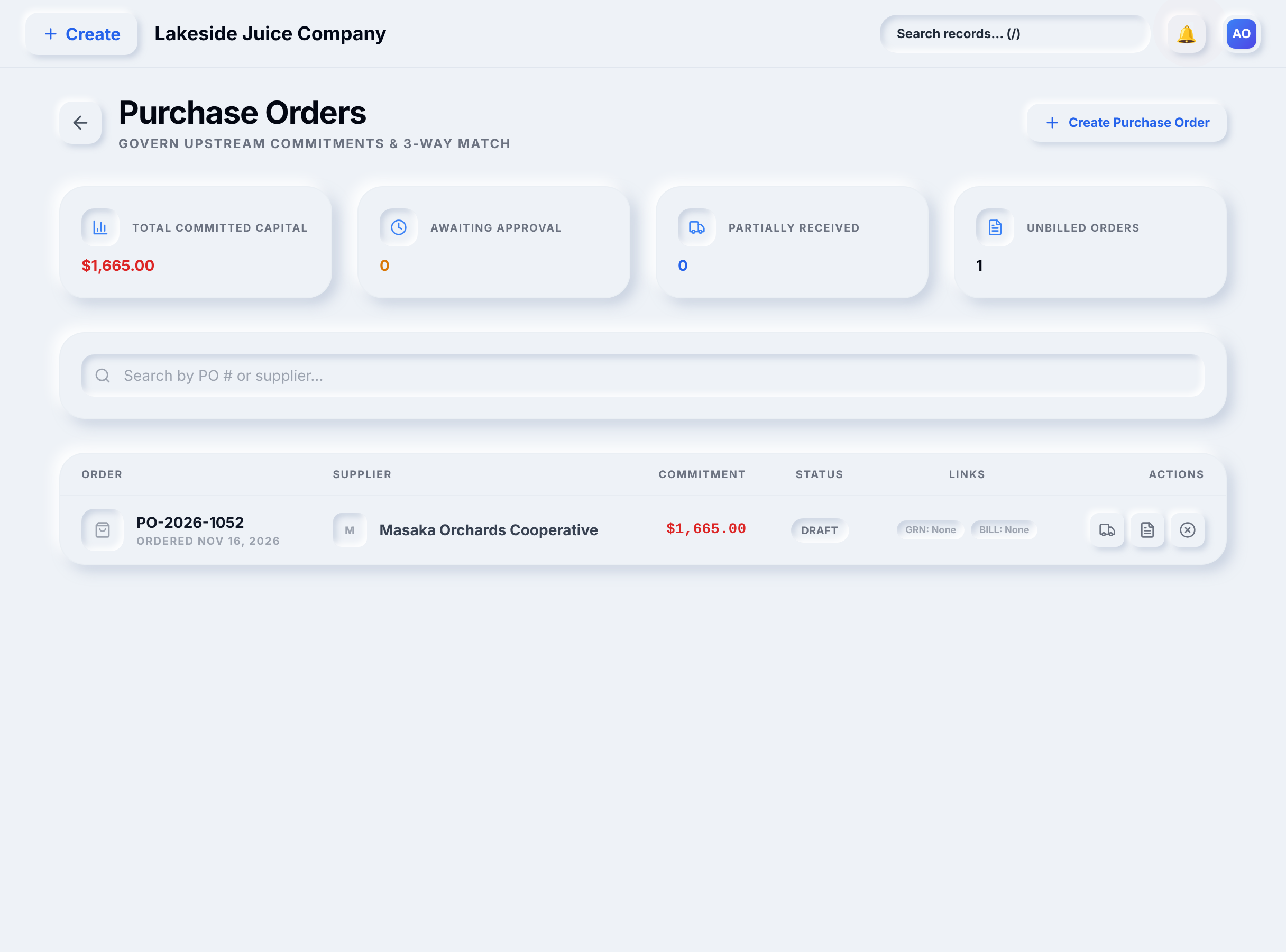
Choose the supplier, receiving warehouse, items, quantities and prices. The purchase order list shows each order’s supplier, value and status.
Receive and inspect the delivery
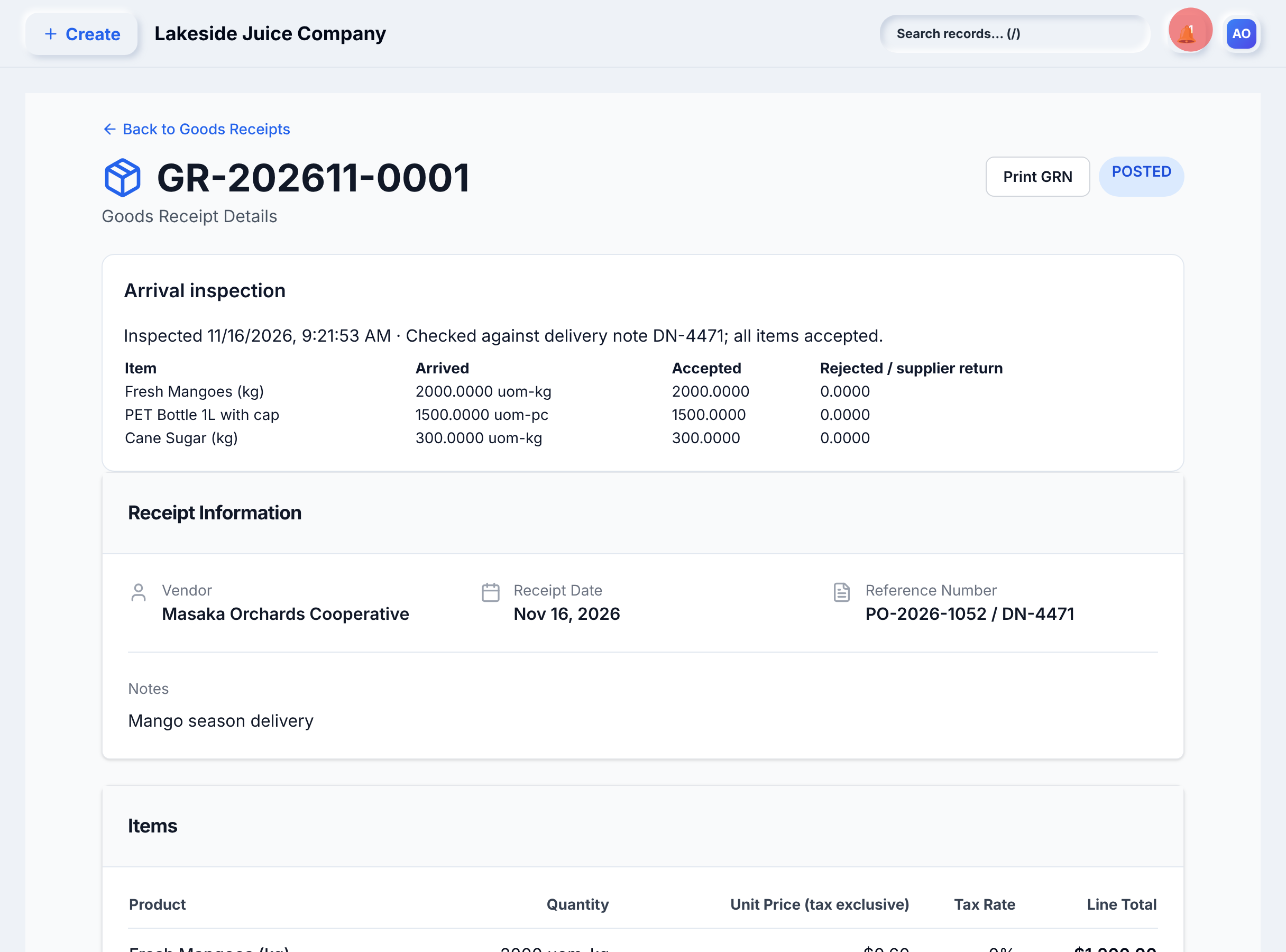
Record a goods receipt with the supplier’s delivery note. The arrival inspection records how much was accepted; rejected goods are recorded for return to the supplier.
Bill from the receipt
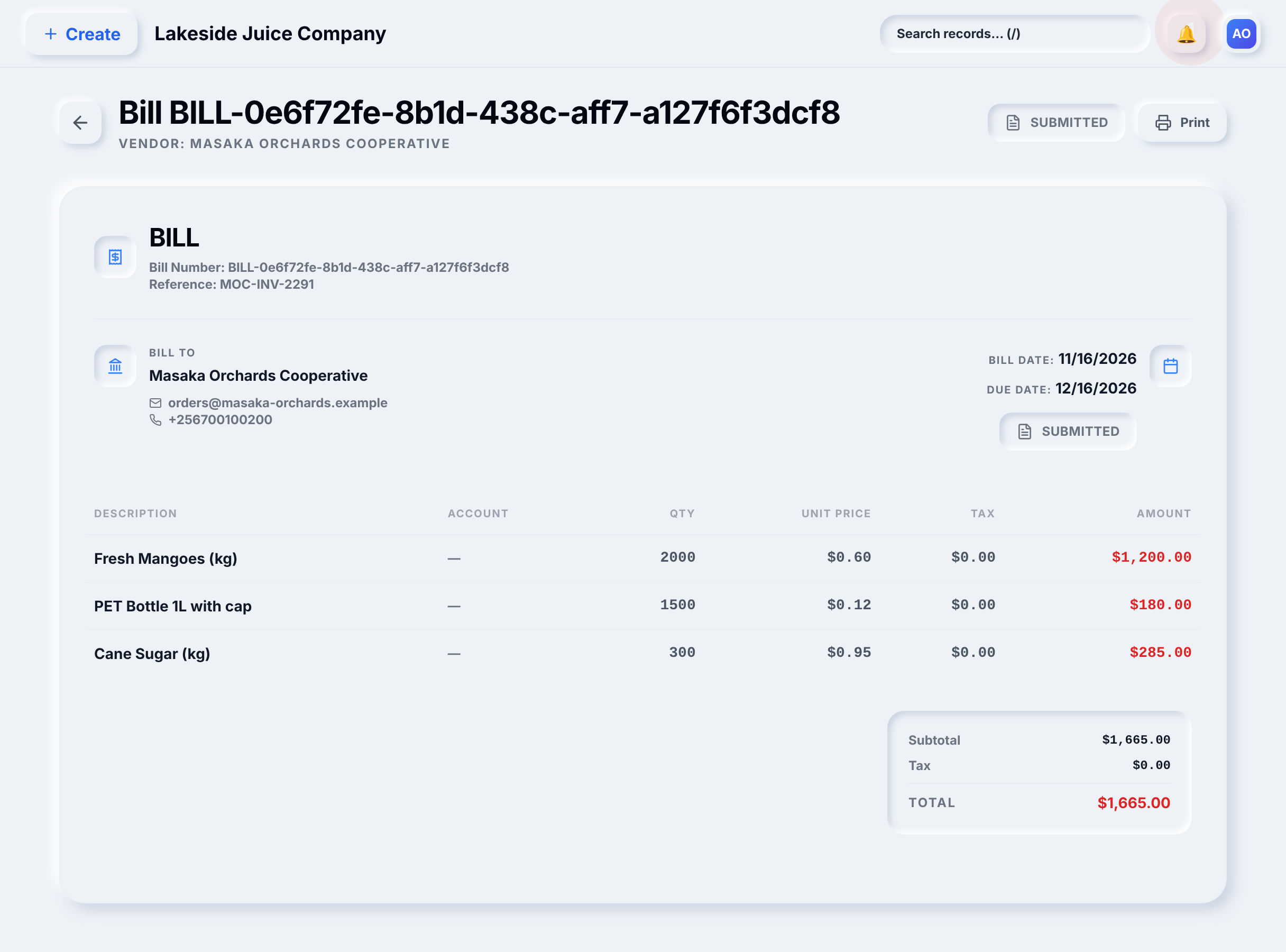
Create the supplier bill from the posted goods receipt. Its lines, quantities and prices come from the receipt, and a billed receipt no longer appears as unbilled.
Worked example: Lakeside Juice Company
Lakeside orders mango-season supplies from Masaka Orchards Cooperative: 2,000 kg of mangoes at $0.60, 1,500 bottles at $0.12 and 300 kg of sugar at $0.95, a total of $1,665.00.
- The purchase order is raised for delivery to Kampala Main Store.
- The delivery arrives with note DN-4471. Inspection accepts all three lines and goods receipt GR-202611-0001 is posted.
- The supplier’s invoice MOC-INV-2291 is entered as a bill created from GR-202611-0001.
The bill shows the same three lines and the same $1,665.00 total as the goods receipt.
Lakeside Juice Company and every name, number and amount in this example are synthetic data created for illustration.
What you see in YourBooks
See this workflow with your own process
We will walk through it with your products, warehouses and accounts in mind.
Book a demo